
This Simple Smartphone Trick May Help You Capture A Moment Otherwise Lost!
Quick, your toddler is doing the cutest thing right now! Make sure you capture it by knowing the fastest way to access your camera!
You know the saying, “The best camera is the one you have with you”. Well, I’ll take it a step further and say the best camera is the one that’s ready when you are! As a parent of 3 kids, I can’t tell you how many moments I’ve been able to capture by knowing this simple trick that most new smartphones come equipped with. Sure, there are many ways to access your camera like the traditional icon found within your apps, voice commands and even within other apps but this method in my experience is unmatched in its speed and convenience. Not only can this shortcut help ensure precious moments aren’t lost, it’s pretty much the only way I access my camera period.
How Do I Do It?
Google Pixel and some other Android Devices – Double tap the power button. In addition on Pixels, you can quickly swap to the front-facing selfie camera with a quick double-twist of the wrist[Think unscrewing a lightbulb].
Samsung – On older models the camera may be accessed by double-tapping the home button. On newer models it can be accessed by double-tapping the power button.
iPhone/iOS – From the lock screen you can swipe left to access the camera or take advantage of 3D Touch, if your device supports it, to press the camera icon. In addition, there’s a camera shortcut within the Control Center. To access it from most situations, swipe up from the very bottom of the phone screen and press the camera icon.
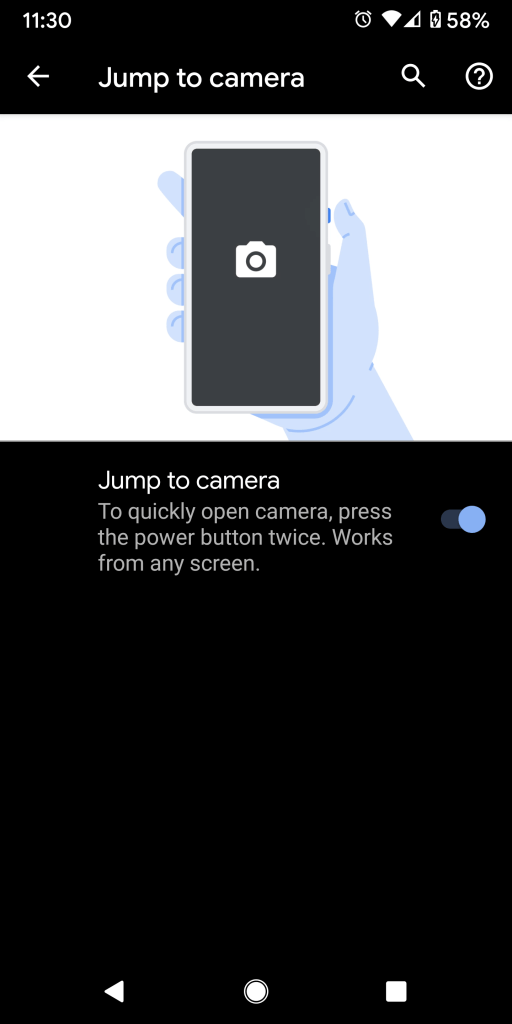
Note – Although these features may be enabled by default, you may need to turn them on if not accessible. The ability can usually be found within your camera or gesture settings.
There you have it! Get to snapping!
 Tech Dabble